





- Top >
Set or Change Your ITC Account Password
This procedure explains how to set or change the password for your ITC account as an undergraduate student (excluding SFC).
For all other users, please refer to the instructions for changing your password for the previous version of your ITC account.
Set or Change Your Password
-
You can set or change your password from the My Account page on keio.jp.
Access your My Account page. -
Click [Password Settings] or [Password Settings Screen].
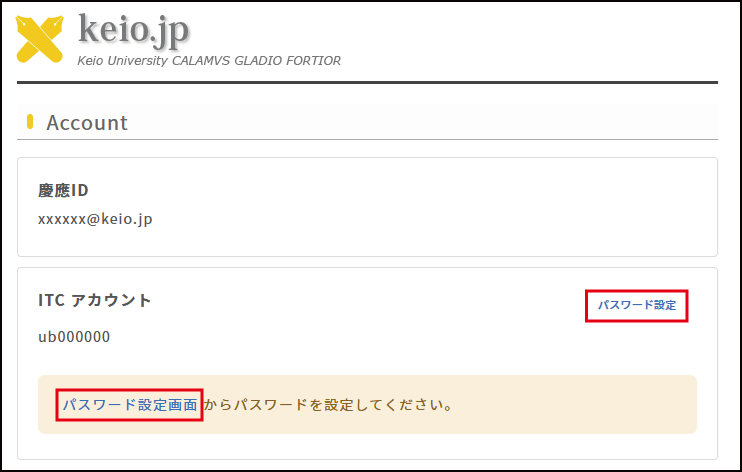
-
After entering your “New Password,” click [Set].
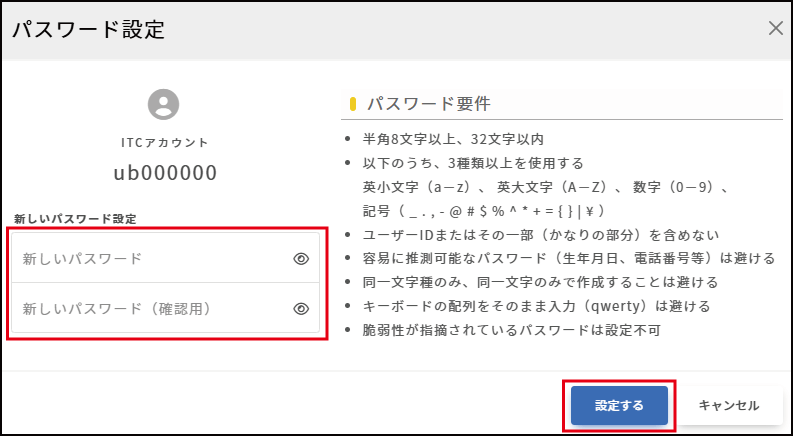
-
Once the setup is complete, the message “ITC account password setup is complete” will appear.
※It may take up to 5 minutes for the password to take effect.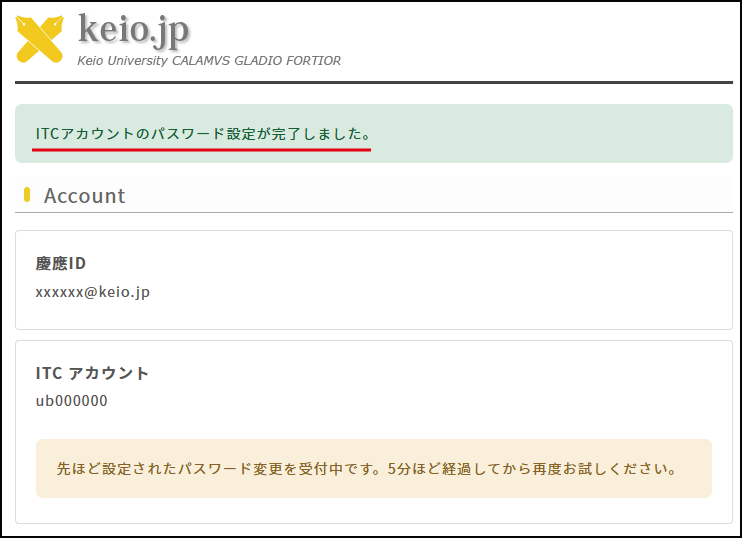
Last-Modified: March 13, 2026
The content ends at this position.